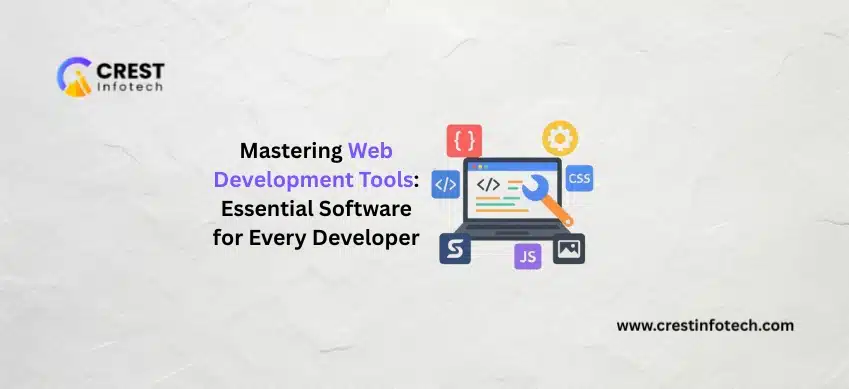
Web development is constantly evolving, and having the right tools can significantly improve productivity, code quality, and project efficiency. From writing clean code to testing, deployment, and collaboration, web development tools play a crucial role in building high-performing applications. At Crest Infotech, our development teams rely on a carefully selected set of tools to deliver secure, scalable, and future-ready web solutions. This article explores the essential web development software every developer should master.
1. Code Editors & Integrated Development Environments (IDEs)
A powerful code editor is the foundation of efficient development.
Popular Code Editors
-
Visual Studio Code
-
Sublime Text
-
Atom
IDEs
-
WebStorm
-
IntelliJ IDEA
These tools provide features like syntax highlighting, debugging, extensions, and version control integration.
2. Version Control Systems
Version control is essential for collaboration and code management.
Why Version Control Matters
-
Track code changes
-
Enable team collaboration
-
Prevent data loss
-
Simplify rollbacks
Popular Tools
-
Git
-
GitHub
-
GitLab
-
Bitbucket
Version control ensures smooth teamwork and project stability.
3. Frontend Development Tools
Frontend tools enhance UI development and performance.
Essential Frontend Tools
-
Chrome DevTools
-
React Developer Tools
-
CSS preprocessors (Sass)
-
Build tools (Vite, Webpack)
These tools help debug, optimize, and refine user interfaces.
4. Backend Development Tools
Backend tools support server-side development and API creation.
Key Backend Tools
-
Node.js
-
Postman
-
Docker
-
Database management tools
They streamline development, testing, and deployment workflows.
5. Package Managers
Package managers simplify dependency management.
Common Package Managers
-
npm
-
Yarn
-
pnpm
They ensure consistent and efficient project setup.
6. Testing & Debugging Tools
Testing ensures code quality and reliability.
Testing Tools
-
Jest
-
Mocha
-
Cypress
Debugging Tools
-
Browser developer tools
-
Logging utilities
Testing minimizes bugs and improves application stability.
7. Performance & Optimization Tools
Performance is critical for user experience and SEO.
Performance Tools
-
Lighthouse
-
Google PageSpeed Insights
-
GTmetrix
These tools help identify bottlenecks and optimization opportunities.
8. UI/UX & Design Tools
Design tools improve collaboration between designers and developers.
Popular Design Tools
-
Figma
-
Adobe XD
-
Sketch
They help translate design concepts into functional interfaces.
9. Deployment & DevOps Tools
Deployment tools ensure smooth releases and scalability.
Common Tools
-
CI/CD pipelines
-
Docker & Kubernetes
-
Cloud platforms (AWS, Azure)
These tools enable automated, reliable deployments.
10. Security Tools
Security tools protect applications from vulnerabilities.
Security Essentials
-
SSL/TLS
-
Code scanning tools
-
Dependency vulnerability checkers
Security-focused tools reduce risk and improve trust.
11. Collaboration & Project Management Tools
Effective collaboration boosts productivity.
Collaboration Tools
-
Jira
-
Trello
-
Slack
They help manage tasks, timelines, and communication.
How Crest Infotech Uses Web Development Tools Effectively
At Crest Infotech, we carefully select tools that enhance productivity, security, and scalability.
Our Development Approach
-
Modern and reliable toolchain
-
Secure development practices
-
Automated testing and deployment
-
Continuous performance monitoring
-
Scalable infrastructure
Why Choose Crest Infotech
-
17+ years of industry experience
-
Expert development teams
-
Proven workflows and tools
-
High-quality, maintainable code
-
Ongoing support and optimization
Final Thoughts
Mastering the right web development tools is essential for building modern, high-performing applications. With the proper toolset, developers can work faster, collaborate better, and deliver reliable solutions.
At Crest Infotech, we leverage industry-leading tools to build web solutions that are secure, scalable, and future-ready.
 I am the Founder of Crest Infotech With over 18 years’ experience in web design, web development, mobile apps development and content marketing. I ensure that we deliver quality website to you which is optimized to improve your business, sales and profits. We create websites that rank at the top of Google and can be easily updated by you.